
SQL Server Integration Services (SSIS) has been the cornerstone of Microsoft-centric ETL for over two decades. Organizations running hundreds or thousands of DTSX packages face a familiar set of challenges: aging Windows servers hosting the SSIS Catalog, complex package configurations spread across XML files and environment variables, and a deployment model that demands dedicated infrastructure. As data warehousing shifts to cloud-native platforms, migrating SSIS packages to Snowflake represents both a modernization opportunity and a significant architectural transformation.
This article provides a detailed technical mapping of every major SSIS concept to its Snowflake-native equivalent. We cover Control Flow tasks, Data Flow transformations, connection managers, variables, logging, and the orchestration model — with code examples showing the before and after for each pattern. Whether you are running SSIS on-premises or through Azure Data Factory's SSIS Integration Runtime, the target architecture remains the same: Snowflake SQL, Snowpark Python, Snowflake Tasks, and Streams.
SSIS Architecture vs. Snowflake Architecture
SSIS packages (.dtsx files) are XML documents that define two primary layers: the Control Flow (orchestration) and the Data Flow (transformation). The Control Flow sequences tasks such as Execute SQL, Script Task, File System Task, and Data Flow Task. The Data Flow defines source-to-destination pipelines with inline transformations. Packages execute on the SSIS runtime, which manages buffers, threading, and logging through the Integration Services Catalog or legacy package deployment.
Snowflake replaces this entire stack with a fundamentally different model. There is no dedicated ETL server. Compute is provided by virtual warehouses that auto-suspend and auto-resume. Transformation logic runs as SQL statements, stored procedures, or Snowpark Python/Scala/Java programs — all executing on Snowflake's distributed compute engine. Orchestration is handled by Snowflake Tasks (CRON-based DAGs) and Streams (change data capture). Data ingestion uses Stages, Snowpipe, and COPY INTO rather than OLE DB or ADO.NET providers.
| SSIS Concept | Snowflake Equivalent | Notes |
|---|---|---|
| DTSX Package | Stored Procedure / Snowpark Script | A single unit of ETL logic |
| Control Flow | Task DAG (Tasks with predecessors) | CRON-scheduled dependency chains |
| Data Flow Task | Snowpark Python pipeline / SQL | Transformation logic on Snowflake compute |
| Execute SQL Task | SQL statement / Stored Procedure | Direct SQL execution on warehouse |
| For Each Loop Container | Snowflake Scripting LOOP / CURSOR | Procedural iteration in SQL |
| Script Task (C#) | Snowpark UDF / Stored Procedure | Python, Java, or Scala logic |
| SSIS Variables | Session variables / Procedure params | SET variable = value |
| Connection Manager | Stage / Storage Integration | External stages for cloud storage |
| Derived Column | SQL expression / Snowpark withColumn | Inline computed columns |
| Conditional Split | CASE expression / FILTER | Row routing via SQL predicates |
| Lookup Transform | JOIN | No caching needed — all data in Snowflake |
| OLE DB Source/Destination | Snowflake tables / Stages | Native storage, no middleware |
| Flat File Source | Stage + File Format + COPY INTO | CSV, JSON, Parquet ingestion |
| SSIS Catalog | Snowflake schema + Task metadata | No separate catalog server required |
| Package Parameters | Procedure arguments / session vars | Parameterized execution |
| Precedence Constraints | Task predecessors (AFTER clause) | DAG-based dependency model |
| Event Handlers | Task error handling / SYSTEM$SEND_EMAIL | Alerting and error notification |
| Logging Providers | ACCOUNT_USAGE / TASK_HISTORY views | Built-in execution telemetry |

SSIS to Snowflake migration — automated end-to-end by MigryX
Control Flow Migration: From Task Sequences to Snowflake Task DAGs
SSIS Control Flow defines the execution order of tasks within a package. Tasks are connected by precedence constraints that specify success, failure, or expression-based conditions. Containers (Sequence, For Each Loop, For Loop) group tasks and provide scoping for variables and transactions.
In Snowflake, the Task object replaces the entire Control Flow layer. Tasks can reference predecessor tasks using the AFTER clause, forming a directed acyclic graph (DAG). Each task runs a single SQL statement or calls a stored procedure. Conditional execution is achieved through the WHEN clause, which evaluates a boolean expression before the task body runs.
Execute SQL Task to Snowflake Stored Procedures
The Execute SQL Task is the most common SSIS Control Flow task. It runs a SQL statement against a connection manager and optionally captures results into SSIS variables. In Snowflake, this becomes a direct SQL statement within a stored procedure or a standalone Task.
-- SSIS Execute SQL Task (conceptual):
-- Connection: OLE DB to SQL Server
-- SQL: EXEC dbo.usp_load_daily_sales @run_date = ?
-- Parameter mapping: User::RunDate -> Parameter 0

-- Snowflake equivalent: Stored Procedure with parameters
CREATE OR REPLACE PROCEDURE etl.load_daily_sales(run_date DATE)
RETURNS STRING
LANGUAGE SQL
EXECUTE AS CALLER
AS
BEGIN
    -- Truncate staging area
    TRUNCATE TABLE staging.daily_sales;

    -- Load from raw to staging with date filter
    INSERT INTO staging.daily_sales (
        sale_id, product_id, customer_id, quantity,
        unit_price, sale_date, region
    )
    SELECT
        sale_id, product_id, customer_id, quantity,
        unit_price, sale_date, region
    FROM raw.pos_transactions
    WHERE sale_date = :run_date;

    -- Merge into target fact table
    MERGE INTO warehouse.fact_daily_sales t
    USING staging.daily_sales s
    ON t.sale_id = s.sale_id
    WHEN MATCHED THEN UPDATE SET
        t.quantity = s.quantity,
        t.unit_price = s.unit_price,
        t.updated_at = CURRENT_TIMESTAMP()
    WHEN NOT MATCHED THEN INSERT (
        sale_id, product_id, customer_id, quantity,
        unit_price, sale_date, region, created_at
    ) VALUES (
        s.sale_id, s.product_id, s.customer_id, s.quantity,
        s.unit_price, s.sale_date, s.region, CURRENT_TIMESTAMP()
    );

    RETURN 'Sales loaded for ' || :run_date::STRING;
END;
For Each Loop Container to Snowflake Scripting
SSIS For Each Loop Containers iterate over collections such as file enumerators, ADO recordsets, or variable lists. Each iteration assigns values to SSIS variables and executes the contained tasks. In Snowflake, this pattern is implemented using Snowflake Scripting (SQL stored procedures with LOOP, FOR, and CURSOR constructs).
-- SSIS For Each Loop: Iterate over files in a directory
-- Enumerator: Foreach File Enumerator
-- Folder: \\server\share\incoming\
-- File Pattern: *.csv
-- Variable mapping: User::CurrentFile

-- Snowflake equivalent: Iterate over staged files
CREATE OR REPLACE PROCEDURE etl.load_all_staged_files()
RETURNS STRING
LANGUAGE SQL
EXECUTE AS CALLER
AS
DECLARE
    file_count INTEGER DEFAULT 0;
    file_name STRING;
    file_cursor CURSOR FOR
        SELECT "name" FROM TABLE(RESULT_SCAN(
            LAST_QUERY_ID()
        ));
BEGIN
    -- List files in stage (equivalent to directory enumeration)
    LIST @raw_data_stage/incoming/ PATTERN='.*[.]csv';

    OPEN file_cursor;
    LOOP
        FETCH file_cursor INTO file_name;
        IF (NOT FOUND) THEN
            LEAVE;
        END IF;

        -- Load each file individually
        COPY INTO staging.incoming_data
        FROM @raw_data_stage/incoming/
        FILES = (:file_name)
        FILE_FORMAT = (TYPE = 'CSV' SKIP_HEADER = 1)
        ON_ERROR = 'CONTINUE';

        file_count := file_count + 1;
    END LOOP;
    CLOSE file_cursor;

    RETURN 'Loaded ' || file_count::STRING || ' files';
END;
Script Task to Snowpark Python UDFs and Procedures
SSIS Script Tasks execute C# or VB.NET code for custom logic that cannot be expressed in SQL — string parsing, API calls, file manipulation, custom validation. In Snowflake, Snowpark Python stored procedures and UDFs provide equivalent extensibility, running directly on Snowflake's compute engine without any external infrastructure.
# SSIS Script Task equivalent: Complex data validation with Python
# This Snowpark stored procedure replaces a C# Script Task that
# validates records, applies business rules, and logs exceptions

import snowflake.snowpark as snowpark
from snowflake.snowpark.functions import col, when, lit, current_timestamp
from snowflake.snowpark.types import StringType

def main(session: snowpark.Session) -> str:
    # Read staging data (equivalent to SSIS ReadOnlyVariables)
    df = session.table("staging.customer_updates")

    # Apply business rules (equivalent to C# validation logic)
    validated = df.with_column(
        "email_valid",
        when(col("email").rlike(r"^[^@]+@[^@]+\.[^@]+$"), lit(True))
        .otherwise(lit(False))
    ).with_column(
        "phone_clean",
        col("phone").regexp_replace(r"[^0-9]", "")
    ).with_column(
        "customer_tier",
        when(col("lifetime_value") >= 100000, lit("PLATINUM"))
        .when(col("lifetime_value") >= 50000, lit("GOLD"))
        .when(col("lifetime_value") >= 10000, lit("SILVER"))
        .otherwise(lit("BRONZE"))
    )

    # Route valid records to target (equivalent to Conditional Split)
    valid_records = validated.filter(col("email_valid") == True)
    invalid_records = validated.filter(col("email_valid") == False)

    # Write valid records
    valid_records.write.mode("overwrite").save_as_table(
        "warehouse.dim_customers_staging"
    )

    # Log invalid records for review
    invalid_records.select(
        col("customer_id"), col("email"), col("phone"),
        lit("INVALID_EMAIL").alias("error_type"),
        current_timestamp().alias("logged_at")
    ).write.mode("append").save_as_table("audit.validation_errors")

    valid_count = valid_records.count()
    invalid_count = invalid_records.count()

    return f"Validated: {valid_count} valid, {invalid_count} invalid"
MigryX: Purpose-Built Parsers for Every Legacy Technology
MigryX does not rely on generic text matching or regex-based parsing. For every supported legacy technology, MigryX has built a dedicated Abstract Syntax Tree (AST) parser that understands the full grammar and semantics of that platform. This means MigryX captures not just what the code does, but why — understanding implicit behaviors, default settings, and platform-specific quirks that generic tools miss entirely.
Data Flow Migration: From Buffer Pipelines to Snowpark and SQL
The SSIS Data Flow is the heart of the transformation engine. It defines a pipeline of sources, transformations, and destinations connected by paths. The runtime manages memory buffers, threading, and data type conversions. Each transformation operates on in-memory buffers row-by-row or in batches.
In Snowflake, the Data Flow concept dissolves entirely. There are no in-memory buffers or transformation pipelines. Instead, transformations are expressed as SQL queries or Snowpark DataFrame operations that execute on Snowflake's distributed compute. This is fundamentally more efficient because data does not leave Snowflake — there is no serialization, network transfer, or deserialization through an external ETL engine.
Complete SSIS Data Flow Pipeline to Snowpark Python
Consider a typical SSIS Data Flow that reads from an OLE DB source, applies Derived Column, Conditional Split, Lookup, and Aggregate transformations, then writes to an OLE DB destination. Below is the complete Snowpark Python equivalent demonstrating how a multi-component Data Flow collapses into a single cohesive script.
# Complete SSIS Data Flow replacement in Snowpark Python
#
# Original SSIS Data Flow:
#   OLE DB Source (orders) -->
#   Derived Column (calculate total, fiscal_quarter) -->
#   Lookup (product catalog) -->
#   Conditional Split (domestic vs international) -->
#   Aggregate (by region, quarter) -->
#   OLE DB Destination (summary table)

import snowflake.snowpark as snowpark
from snowflake.snowpark.functions import (
    col, sum as _sum, count, avg, max as _max,
    when, lit, quarter, year, current_timestamp
)

def main(session: snowpark.Session) -> str:
    # === OLE DB Source equivalent ===
    orders = session.table("bronze.sales_orders")

    # === Derived Column equivalent ===
    enriched = orders.with_column(
        "line_total", col("quantity") * col("unit_price")
    ).with_column(
        "fiscal_quarter",
        when(quarter(col("order_date")).isin([1, 2, 3]),
             year(col("order_date")))
        .otherwise(year(col("order_date")) + 1)
    ).with_column(
        "fiscal_q_label",
        when(quarter(col("order_date")) == 1, lit("Q1"))
        .when(quarter(col("order_date")) == 2, lit("Q2"))
        .when(quarter(col("order_date")) == 3, lit("Q3"))
        .otherwise(lit("Q4"))
    )

    # === Lookup equivalent (product catalog) ===
    products = session.table("ref.product_catalog")
    with_product = enriched.join(
        products,
        enriched["product_id"] == products["product_id"],
        "left"
    ).select(
        enriched["*"],
        products["product_name"],
        products["category"],
        products["product_tier"]
    )

    # === Conditional Split equivalent ===
    domestic = with_product.filter(col("ship_country") == "US")
    international = with_product.filter(col("ship_country") != "US")

    # === Aggregate equivalent (by region and quarter) ===
    domestic_summary = domestic.group_by(
        col("region"), col("fiscal_quarter"), col("fiscal_q_label")
    ).agg(
        _sum(col("line_total")).alias("total_revenue"),
        count(col("order_id")).alias("order_count"),
        avg(col("line_total")).alias("avg_order_value"),
        _max(col("order_date")).alias("latest_order")
    )

    international_summary = international.group_by(
        col("ship_country"), col("fiscal_quarter"), col("fiscal_q_label")
    ).agg(
        _sum(col("line_total")).alias("total_revenue"),
        count(col("order_id")).alias("order_count"),
        avg(col("line_total")).alias("avg_order_value"),
        _max(col("order_date")).alias("latest_order")
    )

    # === OLE DB Destination equivalent ===
    domestic_summary.write.mode("overwrite").save_as_table(
        "gold.domestic_sales_summary"
    )
    international_summary.write.mode("overwrite").save_as_table(
        "gold.international_sales_summary"
    )

    return "Data flow pipeline completed successfully"
Derived Column Transformation to SQL Expressions
SSIS Derived Column transformations add or replace columns using SSIS expression syntax. In Snowflake, these become SELECT expressions in SQL or with_column() calls in Snowpark. The SQL expression language is far more powerful than the SSIS expression language, supporting window functions, regular expressions, and semi-structured data navigation that would require Script Tasks in SSIS.
-- SSIS Derived Column:
--   full_name = first_name + " " + last_name
--   age = DATEDIFF("yy", birth_date, GETDATE())
--   status_flag = order_total > 1000 ? "HIGH" : "NORMAL"

-- Snowflake SQL equivalent
SELECT
    *,
    first_name || ' ' || last_name AS full_name,
    DATEDIFF('year', birth_date, CURRENT_DATE()) AS age,
    CASE WHEN order_total > 1000 THEN 'HIGH' ELSE 'NORMAL' END AS status_flag
FROM staging.customer_orders;
Conditional Split to CASE Expressions
SSIS Conditional Split routes rows to different outputs based on boolean expressions. Each output path connects to a separate transformation chain or destination. In Snowflake, this is expressed as CASE expressions for tagging within a single result set, or separate INSERT statements with WHERE filters when routing to different physical tables.
-- SSIS Conditional Split:
--   Output 1 (Priority): priority_level = "CRITICAL" AND sla_hours < 4
--   Output 2 (Standard): priority_level IN ("HIGH", "MEDIUM")
--   Default Output: All remaining rows

-- Snowflake SQL: Route to different tables using INSERT...SELECT
INSERT INTO ops.critical_tickets
SELECT * FROM staging.support_tickets
WHERE priority_level = 'CRITICAL' AND sla_hours < 4;

INSERT INTO ops.standard_tickets
SELECT * FROM staging.support_tickets
WHERE priority_level IN ('HIGH', 'MEDIUM')
  AND NOT (priority_level = 'CRITICAL' AND sla_hours < 4);

INSERT INTO ops.low_priority_tickets
SELECT * FROM staging.support_tickets
WHERE priority_level NOT IN ('CRITICAL', 'HIGH', 'MEDIUM')
   OR priority_level IS NULL;
Lookup Transformation to SQL JOIN
SSIS Lookup transformations perform reference data enrichment with configurable caching modes (Full Cache, Partial Cache, No Cache). In Snowflake, all reference data resides in the same platform, so lookups become standard JOINs with no caching configuration required. The query optimizer handles data access patterns automatically.
-- SSIS Lookup: Enrich orders with customer dimension
-- Cache Mode: Full Cache
-- Connection: OLE DB to SQL Server warehouse
-- Lookup Table: dim_customer
-- Join: customer_id = customer_id
-- Output: customer_name, customer_segment, account_manager

-- Snowflake SQL equivalent (no caching config needed)
CREATE OR REPLACE TABLE silver.enriched_orders AS
SELECT
    o.order_id,
    o.order_date,
    o.product_id,
    o.quantity,
    o.unit_price,
    o.quantity * o.unit_price AS line_total,
    c.customer_name,
    c.customer_segment,
    c.account_manager
FROM bronze.orders o
LEFT JOIN ref.dim_customer c
    ON o.customer_id = c.customer_id;
In SSIS, choosing the wrong Lookup cache mode can cause severe performance degradation — Full Cache loads the entire reference table into memory, while No Cache issues a query per row. In Snowflake, the query optimizer handles data access patterns automatically. There is no cache mode to configure, no memory allocation to tune, and no performance cliff when reference tables grow beyond available memory on the SSIS server.
Connection Managers to Stages and Storage Integrations
SSIS Connection Managers define connectivity to sources and destinations: OLE DB for databases, Flat File for CSV/text, ADO.NET for .NET providers, and SMTP for email notifications. Each connection manager stores credentials and connection strings, often parameterized through package configurations or SSIS Catalog environments.
In Snowflake, external data connectivity is handled through Stages (referencing cloud storage locations), Storage Integrations (managing authentication to cloud providers), and File Formats (defining how to parse files). Database-to-database connectivity is unnecessary because all data lives within the Snowflake platform.
-- SSIS Flat File Connection Manager equivalent:
-- Source: \\server\share\data\daily_export.csv
-- Column delimiter: comma, text qualifier: double-quote
-- Header row: yes

-- Snowflake: Create File Format + External Stage
CREATE OR REPLACE FILE FORMAT etl.csv_standard
    TYPE = 'CSV'
    FIELD_DELIMITER = ','
    FIELD_OPTIONALLY_ENCLOSED_BY = '"'
    SKIP_HEADER = 1
    NULL_IF = ('', 'NULL', 'null')
    EMPTY_FIELD_AS_NULL = TRUE
    ERROR_ON_COLUMN_COUNT_MISMATCH = FALSE;

-- Create Storage Integration for secure cloud access
CREATE OR REPLACE STORAGE INTEGRATION s3_data_integration
    TYPE = EXTERNAL_STAGE
    STORAGE_PROVIDER = 'S3'
    ENABLED = TRUE
    STORAGE_AWS_ROLE_ARN = 'arn:aws:iam::123456789:role/snowflake-access'
    STORAGE_ALLOWED_LOCATIONS = ('s3://company-data/');

-- Create External Stage
CREATE OR REPLACE STAGE etl.data_stage
    URL = 's3://company-data/daily-exports/'
    STORAGE_INTEGRATION = s3_data_integration
    FILE_FORMAT = etl.csv_standard;

-- Load data (replaces entire SSIS package for file ingestion)
COPY INTO bronze.daily_export
FROM @etl.data_stage
PATTERN = '.*daily_export.*[.]csv'
ON_ERROR = 'CONTINUE';

-- Or use Snowpipe for continuous ingestion
CREATE OR REPLACE PIPE bronze.daily_export_pipe
  AUTO_INGEST = TRUE
AS
  COPY INTO bronze.daily_export
  FROM @etl.data_stage
  FILE_FORMAT = etl.csv_standard;
SSIS Variables to Snowflake Session Variables and Procedure Parameters
SSIS packages use variables extensively for parameterization, loop counters, result set capture, and inter-task communication. Variables have data types, scoping rules (package, container, task), and can be read-only or read-write. Package parameters provide external input at execution time.
In Snowflake, session variables (SET/UNSET), stored procedure parameters, and the IDENTIFIER() function provide equivalent functionality. Variables can be referenced in SQL using the $variable syntax or the :variable bind syntax inside stored procedures.
-- SSIS Package Parameters and Variables:
-- Parameter: RunDate (Date), Environment (String)
-- Variable: RowCount (Int32), ProcessStatus (String)

-- Snowflake: Session variables for ad-hoc execution
SET run_date = '2026-04-08'::DATE;
SET environment = 'PRODUCTION';
SET target_schema = 'warehouse';

-- Use variables in queries
CREATE OR REPLACE TABLE IDENTIFIER($target_schema || '.fact_sales') AS
SELECT *
FROM staging.validated_sales
WHERE sale_date = $run_date;

-- Snowflake: Stored procedure for parameterized execution
CREATE OR REPLACE PROCEDURE etl.run_daily_pipeline(
    run_date DATE,
    environment STRING DEFAULT 'PRODUCTION',
    full_refresh BOOLEAN DEFAULT FALSE
)
RETURNS VARIANT
LANGUAGE SQL
EXECUTE AS CALLER
AS
DECLARE
    row_count INTEGER;
    process_status STRING DEFAULT 'STARTED';
    result VARIANT;
BEGIN
    -- Equivalent to SSIS variable assignments during execution
    IF (:full_refresh) THEN
        TRUNCATE TABLE warehouse.fact_sales;
        process_status := 'FULL_REFRESH';
    END IF;

    -- Core load logic
    INSERT INTO warehouse.fact_sales
    SELECT * FROM staging.validated_sales
    WHERE sale_date = :run_date;

    row_count := SQLROWCOUNT;
    process_status := 'COMPLETED';

    -- Return result (equivalent to SSIS variable output)
    result := OBJECT_CONSTRUCT(
        'run_date', :run_date,
        'environment', :environment,
        'rows_loaded', row_count,
        'status', process_status,
        'completed_at', CURRENT_TIMESTAMP()
    );

    -- Log execution (equivalent to SSIS logging provider)
    INSERT INTO audit.pipeline_log (pipeline_name, run_date, result)
    VALUES ('daily_sales', :run_date, :result);

    RETURN result;
END;
Orchestrating the Full Pipeline: SSIS Package Execution to Snowflake Task DAGs
In SSIS, packages are deployed to the SSIS Catalog and executed via SQL Server Agent jobs. Jobs can chain multiple packages with step-level success/failure logic. Master packages call child packages using the Execute Package Task. This creates a hierarchical execution model that is difficult to maintain and monitor across hundreds of packages.
Snowflake Tasks replace this entire orchestration layer. A root task runs on a CRON schedule. Child tasks use the AFTER clause to define dependencies. The WHEN clause provides conditional execution based on stream data availability or custom conditions. Task history is queryable through built-in INFORMATION_SCHEMA views.
-- SSIS Master Package with 4 child packages:
--   1. Extract.dtsx (load raw files)
--   2. Validate.dtsx (data quality checks)
--   3. Transform.dtsx (business logic)
--   4. Publish.dtsx (build gold tables)
-- SQL Agent Job runs at 6 AM daily

-- Snowflake Task DAG equivalent
-- Root task: triggers the pipeline on schedule
CREATE OR REPLACE TASK etl.daily_pipeline_extract
    WAREHOUSE = etl_wh_medium
    SCHEDULE = 'USING CRON 0 6 * * * America/New_York'
    WHEN SYSTEM$STREAM_HAS_DATA('bronze.raw_data_stream')
AS
    CALL etl.extract_daily_data(CURRENT_DATE());

-- Child task 1: validation (runs after extract succeeds)
CREATE OR REPLACE TASK etl.daily_pipeline_validate
    WAREHOUSE = etl_wh_small
    AFTER etl.daily_pipeline_extract
AS
    CALL etl.validate_daily_data(CURRENT_DATE());

-- Child task 2: transformation (runs after validation succeeds)
CREATE OR REPLACE TASK etl.daily_pipeline_transform
    WAREHOUSE = etl_wh_large
    AFTER etl.daily_pipeline_validate
AS
    CALL etl.transform_daily_data(CURRENT_DATE());

-- Child task 3: publish (runs after transformation succeeds)
CREATE OR REPLACE TASK etl.daily_pipeline_publish
    WAREHOUSE = etl_wh_medium
    AFTER etl.daily_pipeline_transform
AS
    CALL etl.publish_gold_tables(CURRENT_DATE());

-- Enable tasks (bottom-up, as required by Snowflake)
ALTER TASK etl.daily_pipeline_publish RESUME;
ALTER TASK etl.daily_pipeline_transform RESUME;
ALTER TASK etl.daily_pipeline_validate RESUME;
ALTER TASK etl.daily_pipeline_extract RESUME;

-- Monitor execution (replaces SSISDB execution reports)
SELECT *
FROM TABLE(INFORMATION_SCHEMA.TASK_HISTORY(
    SCHEDULED_TIME_RANGE_START => DATEADD('day', -1, CURRENT_TIMESTAMP()),
    TASK_NAME => 'DAILY_PIPELINE_EXTRACT'
))
ORDER BY SCHEDULED_TIME DESC;
Incremental Loading: SSIS Watermark Patterns to Snowflake Streams
SSIS incremental loading typically relies on watermark columns (modified_date, rowversion) stored in control tables, with Execute SQL Tasks reading the last watermark and Data Flow Tasks filtering on the watermark range. This requires manual bookkeeping, careful error handling to ensure watermarks are only updated after successful loads, and custom restart logic for partial failures.
Snowflake Streams provide automatic change data capture (CDC) on any table. A stream tracks inserts, updates, and deletes since the last consumption, eliminating the need for watermark columns, control tables, and all the associated fragile ETL logic.
-- SSIS incremental pattern (conceptual):
-- 1. Execute SQL: SELECT MAX(modified_date) FROM control.watermarks
-- 2. Store result in User::LastWatermark
-- 3. Data Flow: SELECT * FROM orders WHERE modified_date > ?
-- 4. Execute SQL: UPDATE control.watermarks SET last_value = GETDATE()

-- Snowflake Streams: automatic CDC, no watermark management
CREATE OR REPLACE STREAM bronze.orders_stream
    ON TABLE bronze.raw_orders
    SHOW_INITIAL_ROWS = FALSE;

-- The stream automatically tracks changes; consume with MERGE
CREATE OR REPLACE TASK silver.incremental_orders
    WAREHOUSE = etl_wh
    SCHEDULE = 'USING CRON */15 * * * * America/New_York'
    WHEN SYSTEM$STREAM_HAS_DATA('bronze.orders_stream')
AS
    MERGE INTO silver.orders t
    USING (
        SELECT *,
            METADATA$ACTION AS stream_action,
            METADATA$ISUPDATE AS is_update
        FROM bronze.orders_stream
    ) s
    ON t.order_id = s.order_id
    WHEN MATCHED AND s.stream_action = 'INSERT' AND s.is_update = TRUE
        THEN UPDATE SET
            t.quantity = s.quantity,
            t.unit_price = s.unit_price,
            t.status = s.status,
            t.updated_at = CURRENT_TIMESTAMP()
    WHEN MATCHED AND s.stream_action = 'DELETE'
        THEN DELETE
    WHEN NOT MATCHED AND s.stream_action = 'INSERT'
        THEN INSERT (order_id, product_id, customer_id, quantity,
                     unit_price, status, created_at, updated_at)
        VALUES (s.order_id, s.product_id, s.customer_id, s.quantity,
                s.unit_price, s.status, CURRENT_TIMESTAMP(), CURRENT_TIMESTAMP());

ALTER TASK silver.incremental_orders RESUME;
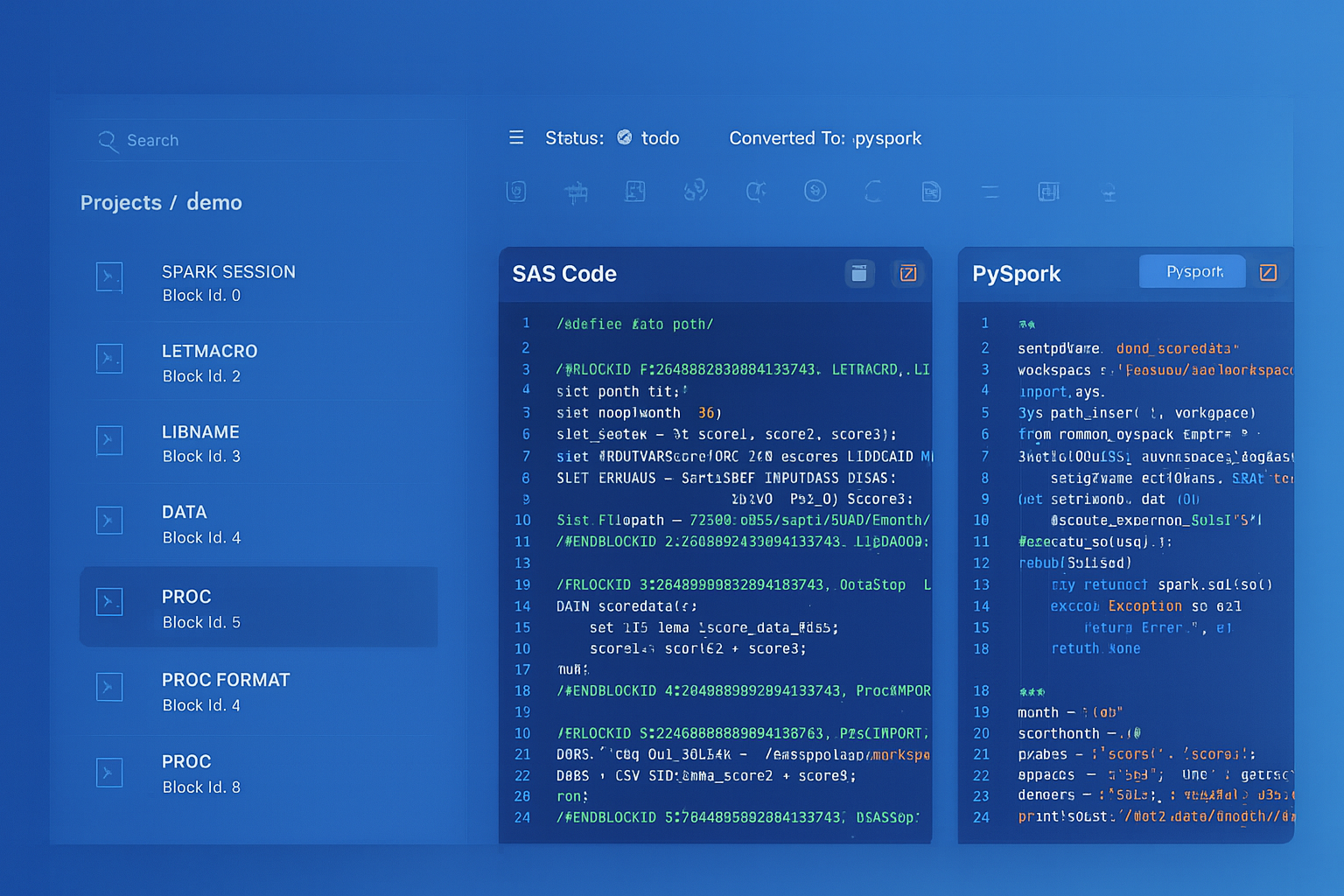
From parsed legacy code to production-ready modern equivalents — MigryX automates the entire conversion pipeline
From Legacy Complexity to Modern Clarity with MigryX
Legacy ETL platforms encode business logic in visual workflows, proprietary XML formats, and platform-specific constructs that are opaque to standard analysis tools. MigryX’s deep parsers crack open these proprietary formats and extract the underlying data transformations, business rules, and data flows. The result is complete transparency into what your legacy code actually does — often revealing undocumented logic that even the original developers had forgotten.
Dynamic Tables: Replacing Simple SSIS Packages Entirely
Many SSIS packages exist solely to run a SQL query on a schedule and write the results to a target table. These packages typically contain a single Data Flow Task with an OLE DB Source (running a query) and an OLE DB Destination. Snowflake Dynamic Tables replace this entire pattern with a single declarative SQL definition that Snowflake keeps automatically refreshed.
-- SSIS Package: "Refresh Active Customer Summary"
-- Contains: One Data Flow Task
--   OLE DB Source: SELECT query with joins and aggregations
--   OLE DB Destination: truncate and reload target table
-- SQL Agent: runs every hour

-- Snowflake Dynamic Table: single definition, auto-refreshed
CREATE OR REPLACE DYNAMIC TABLE gold.active_customer_summary
    TARGET_LAG = '1 hour'
    WAREHOUSE = etl_wh
AS
    SELECT
        c.customer_id,
        c.customer_name,
        c.segment,
        c.region,
        COUNT(DISTINCT o.order_id) AS total_orders,
        SUM(o.quantity * o.unit_price) AS lifetime_revenue,
        AVG(o.quantity * o.unit_price) AS avg_order_value,
        MAX(o.order_date) AS most_recent_order,
        DATEDIFF('day', MAX(o.order_date), CURRENT_DATE()) AS days_since_last_order,
        CASE
            WHEN DATEDIFF('day', MAX(o.order_date), CURRENT_DATE()) <= 30
                THEN 'Active'
            WHEN DATEDIFF('day', MAX(o.order_date), CURRENT_DATE()) <= 90
                THEN 'At Risk'
            ELSE 'Churned'
        END AS activity_status
    FROM silver.customers c
    JOIN silver.orders o ON c.customer_id = o.customer_id
    GROUP BY c.customer_id, c.customer_name, c.segment, c.region;
Dynamic Tables eliminate the need for scheduling, error handling, and retry logic for simple transformation patterns. For SSIS packages that are essentially "run a query and write to a table," a Dynamic Table is the most elegant replacement — zero orchestration, zero maintenance, automatic incremental refresh.
Error Handling and Logging: Event Handlers to Exception Blocks
SSIS provides Event Handlers (OnError, OnWarning, OnPostExecute) and Logging Providers (SQL Server, Windows Event Log, text files) for monitoring package execution. Error rows in Data Flows can be redirected to error outputs for separate handling. In Snowflake, stored procedures support structured exception handling with BEGIN...EXCEPTION...END blocks, and Tasks provide automatic retry and failure notification through error integrations.
-- Error handling in Snowflake stored procedures
-- Replaces SSIS OnError event handler + error row redirection
CREATE OR REPLACE PROCEDURE etl.safe_daily_load(run_date DATE)
RETURNS VARIANT
LANGUAGE SQL
EXECUTE AS CALLER
AS
DECLARE
    error_msg STRING;
    rows_loaded INTEGER DEFAULT 0;
    result VARIANT;
BEGIN
    BEGIN
        -- Attempt the load
        CALL etl.load_daily_sales(:run_date);
        rows_loaded := SQLROWCOUNT;

        -- Log success (replaces SSIS OnPostExecute event handler)
        INSERT INTO audit.execution_log
            (procedure_name, run_date, status, rows_affected, completed_at)
        VALUES
            ('daily_sales', :run_date, 'SUCCESS', :rows_loaded,
             CURRENT_TIMESTAMP());

    EXCEPTION
        WHEN OTHER THEN
            error_msg := SQLERRM;

            -- Log failure (replaces SSIS OnError event handler)
            INSERT INTO audit.execution_log
                (procedure_name, run_date, status, error_message, completed_at)
            VALUES
                ('daily_sales', :run_date, 'FAILED', :error_msg,
                 CURRENT_TIMESTAMP());

            -- Re-raise for Task-level error handling
            RAISE;
    END;

    result := OBJECT_CONSTRUCT(
        'status', 'SUCCESS',
        'run_date', :run_date,
        'rows_loaded', :rows_loaded
    );
    RETURN result;
END;
Time Travel: A Capability SSIS Cannot Provide
Snowflake Time Travel allows querying historical data states without any ETL-managed snapshot tables. This capability has no SSIS equivalent — in SSIS environments, point-in-time data recovery requires full database backup-and-restore operations or manually maintained history tables with slowly changing dimension patterns.
-- Query data as it existed 2 hours ago (no SSIS equivalent)
SELECT * FROM warehouse.fact_sales
AT (OFFSET => -7200);

-- Query data before a specific statement was run
SELECT * FROM warehouse.fact_sales
BEFORE (STATEMENT => '01abc2de-0003-4567-0000-00000000789b');

-- Undo an accidental truncate (no SSIS equivalent)
CREATE OR REPLACE TABLE warehouse.fact_sales
AS SELECT * FROM warehouse.fact_sales
BEFORE (STATEMENT => LAST_QUERY_ID(-1));
Semi-Structured Data: Script Tasks to VARIANT and FLATTEN
In SSIS, processing JSON or XML data typically requires Script Tasks with C# parsing libraries (Newtonsoft.Json, System.Xml.Linq) or third-party components. Snowflake handles semi-structured data as a first-class citizen through the VARIANT data type, PARSE_JSON(), FLATTEN(), and dot-notation path traversal — all in standard SQL.
-- SSIS: Script Task with Newtonsoft.Json to parse API response
-- Snowflake: Native VARIANT handling, no external libraries

-- Ingest JSON directly from stage
COPY INTO bronze.api_responses (payload, loaded_at)
FROM (
    SELECT $1, CURRENT_TIMESTAMP()
    FROM @api_stage/responses/
)
FILE_FORMAT = (TYPE = 'JSON');

-- Flatten nested JSON (replaces C# parsing logic)
SELECT
    r.payload:order_id::INTEGER AS order_id,
    r.payload:customer.name::STRING AS customer_name,
    r.payload:customer.email::STRING AS customer_email,
    item.value:sku::STRING AS sku,
    item.value:quantity::INTEGER AS quantity,
    item.value:unit_price::FLOAT AS unit_price
FROM bronze.api_responses r,
    LATERAL FLATTEN(input => r.payload:items) item
WHERE r.payload:status::STRING = 'confirmed';
Migration Complexity: What MigryX Automates
SSIS DTSX packages are complex XML documents with deeply nested structures. A single package can contain multiple Data Flows, each with dozens of transformations, custom expressions in SSIS expression language, and variable-based routing across container hierarchies. Manually translating these to Snowflake is error-prone and time-consuming, particularly for organizations with hundreds of packages accumulated over years of development.
MigryX uses AST-based deterministic parsing to analyze DTSX package XML at the structural level, not through fragile regex patterns or AI-only approaches. The parser builds a complete abstract syntax tree of each package, extracting Control Flow task sequences, Data Flow transformation graphs, expression trees, variable references, and connection configurations. This approach achieves over 95% parser accuracy across SSIS 2012 through 2022 package formats, including complex packages with nested containers, event handlers, and custom Script Tasks.
MigryX Differentiators for SSIS Migration
- AST-based deterministic parsing — parses DTSX XML into a complete abstract syntax tree, capturing every transformation, expression, and data path. No regex matching or pattern heuristics.
- +95% parser accuracy — handles complex packages with nested containers, event handlers, and custom script tasks that regex-based tools miss entirely.
- Column-level lineage — traces data flow from source columns through every transformation to target columns, generating complete STTM (Source-to-Target Mapping) documentation automatically.
- Multi-target output — generates Snowflake SQL, Snowpark Python, and Task DAG definitions from a single DTSX analysis. The same package analysis can target multiple output formats.
- On-premise and air-gapped deployment — runs entirely within your network. No DTSX files, no database schemas, no data leaves your environment. Critical for regulated industries and government organizations.
- STTM documentation — automatically produces comprehensive Source-to-Target Mapping documents covering every column, transformation rule, and data lineage path across the entire SSIS estate.
- Merlin AI assistant — provides interactive guidance for complex conversion decisions, such as choosing between Snowpark Python and SQL for specific transformations, translating C# Script Task code to Python, and suggesting Snowflake-native optimizations like Dynamic Tables.
Migration Comparison: SSIS Operational Model vs. Snowflake
| Dimension | SSIS | Snowflake |
|---|---|---|
| Compute | Dedicated Windows servers or Azure SSIS IR | Elastic virtual warehouses, auto-suspend/resume |
| Scheduling | SQL Server Agent / Azure Data Factory | Snowflake Tasks with CRON expressions |
| Incremental Load | Manual watermark tables, custom logic | Streams with automatic CDC |
| Error Handling | Event handlers, logging providers | TRY/CATCH, TASK_HISTORY, QUERY_HISTORY |
| File Ingestion | Flat File Source, custom Script Tasks | Stages, COPY INTO, Snowpipe |
| Semi-structured Data | Script Task with JSON parsing libraries | Native VARIANT, FLATTEN, PARSE_JSON |
| Parameterization | Package parameters, environment variables | Procedure params, session variables |
| Deployment | ISPAC to SSIS Catalog, environment configs | SQL scripts, Git-based deployment |
| Point-in-Time Recovery | Database backups only | Time Travel (up to 90 days) |
| Cost Model | Fixed infrastructure (servers, licenses) | Pay-per-second compute consumption |
| Data Locality | Data moves through SSIS buffers to target | Compute runs where data lives |
| Maintenance | OS patching, SSIS updates, driver upgrades | Fully managed, zero maintenance |
Key Takeaways
- Every SSIS Control Flow task has a Snowflake equivalent: Execute SQL becomes stored procedures, For Each Loop becomes Snowflake Scripting loops, Script Tasks become Snowpark Python UDFs and procedures.
- SSIS Data Flow transformations — Derived Column, Conditional Split, Lookup, Aggregate — map directly to SQL expressions and JOINs or Snowpark DataFrame operations.
- Connection Managers are replaced by Stages, Storage Integrations, and File Formats that provide secure, managed cloud storage connectivity without server-side credential management.
- SSIS variables become session variables or stored procedure parameters, with the same scoping and type safety capabilities.
- Snowflake Streams eliminate the manual watermark-based incremental loading patterns that make SSIS packages fragile and difficult to restart after failures.
- Dynamic Tables can replace entire SSIS packages that simply run a query and write results on a schedule — zero orchestration, automatic refresh.
- MigryX automates DTSX package analysis using AST-based parsing with over 95% accuracy, generating Snowflake SQL, Snowpark Python, and Task DAGs with complete column-level lineage documentation.
Migrating from SSIS to Snowflake is not a lift-and-shift — it is an architectural transformation that eliminates the dedicated ETL server, replaces buffer-based pipelines with set-based SQL operations, and consolidates scheduling, CDC, and error handling into a single platform. The result is lower cost (pay only for compute seconds used), lower maintenance (no servers to patch), faster execution at any data volume, and a unified platform for storage, compute, transformation, and orchestration. For organizations with large SSIS estates, automated tooling like MigryX is essential to maintain velocity and accuracy through the migration.
Why MigryX Is the Only Platform That Handles This Migration
The challenges described throughout this article are exactly what MigryX was built to solve. Here is how MigryX transforms this process:
- Deep AST parsing: MigryX’s custom-built parsers achieve 95% accuracy on every supported legacy technology — not through approximation, but through true semantic understanding.
- Merlin AI augmentation: Where deterministic parsing reaches its limit, Merlin AI resolves ambiguities and implicit behaviors, pushing accuracy to 99%.
- Complete coverage: MigryX supports 25+ source technologies including SAS, Informatica, DataStage, SSIS, Alteryx, Talend, ODI, Teradata, and Oracle PL/SQL.
- End-to-end automation: From parsing to conversion to validation — MigryX automates the entire pipeline, not just one step.
MigryX combines precision AST parsing with Merlin AI to deliver 99% accurate, production-ready migration — turning what used to be a multi-year manual effort into a streamlined, validated process. See it in action.
Ready to migrate from SSIS to Snowflake?
See how MigryX converts DTSX packages to production-ready Snowflake SQL, Snowpark pipelines, and Task DAGs with complete column-level lineage.
Explore Snowflake Migration Schedule a Demo